> For the complete documentation index, see [llms.txt](https://pingmexyz.gitbook.io/docs/llms.txt). Markdown versions of documentation pages are available by appending `.md` to page URLs; this page is available as [Markdown](https://pingmexyz.gitbook.io/docs/features/send-payment.md).
# Send Payment
### Choose your form of payment
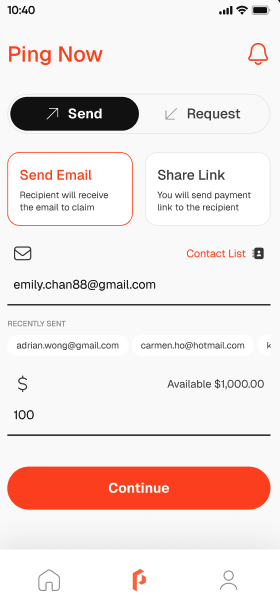
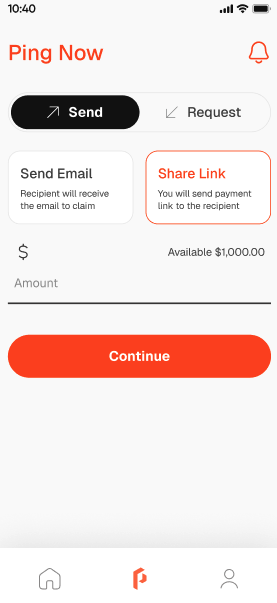
1. Go to Payment page and tap "Send."
2. You will be able to choose how you would like to send your funds:
1. by email
2. by pay link
3. by QR code
### Pay by email
1. Tap "Send Email" to pay.
2. Enter recipient's email.
3. Enter payment amount.
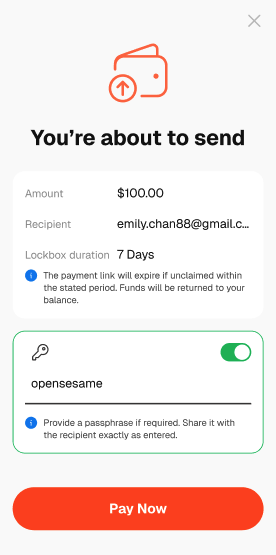
4. Select the time period for the link to remain valid at "Lockbox duration" row. You can choose between 1 to 30 days.
{% hint style="info" %}
"Lockbox duration" lets you choose how long the payment link remains active and accessible for the recipient to receive the payment.
{% endhint %}
5. Set a passphrase for the payment. The passphrase will be shared to the recipient to receive the payment.
{% hint style="info" %}
A passphrase is a unique password set by the sender, which the recipient must use to access and receive payment through the provided link.
{% endhint %}
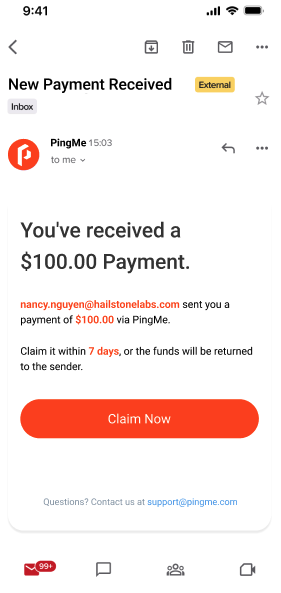
6. After the payment details have been confirmed, an email will be sent to the recipient's email address.
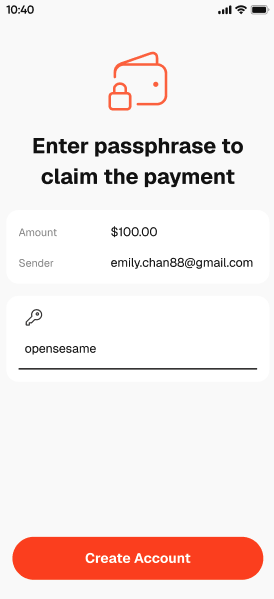
7. To receive payments, the recipient shall click "Claim Now" in the email and enter the passphrase in order to receive the funds.
8. If the recipient does not have an account with PingMe, they will need to create an account in order to claim the payments.
{% hint style="info" %}
If the recipient does not claim the payments before the expiration date, unclaimed funds will be automatically returned to the sender's wallet.
{% endhint %}
###
### Pay by pay link
1. Tap "Share Link" to pay.
2. Enter payment amount.
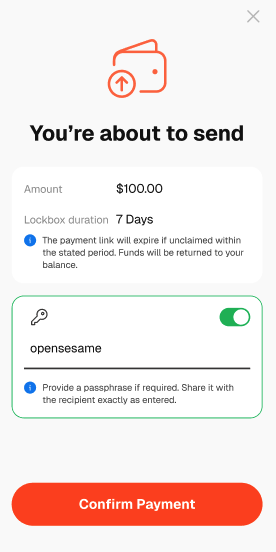
3. Select the time period for the link to remain valid at "Lockbox duration" row. You can choose between 1 to 30 days.
{% hint style="info" %}
"Lockbox duration" lets you choose how long the payment link remains active and accessible for the recipient to receive the payment.
{% endhint %}
4. Set a passphrase for the payment. The passphrase will be shared to the recipient to receive the payment.
{% hint style="info" %}
A passphrase is a unique password set by the sender, which the recipient must use to access and receive payment through the provided link.
{% endhint %}
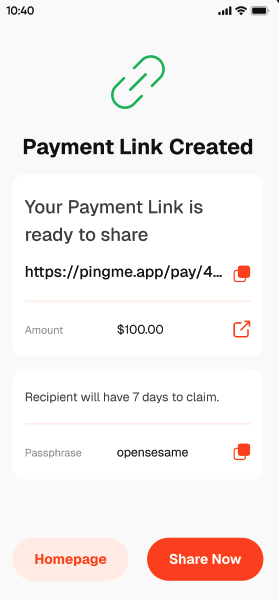
5. Confirm the payment and a pay link will be created. The sender will be able to share the pay link to the recipient.
6. When the recipient clicks on to the pay link, he will be requested to enter the passphrase in order to claim the funds.
{% hint style="info" %}
If the recipient does not claim the payments before the expiration date, unclaimed funds will be automatically returned to the sender's wallet.
{% endhint %}
###
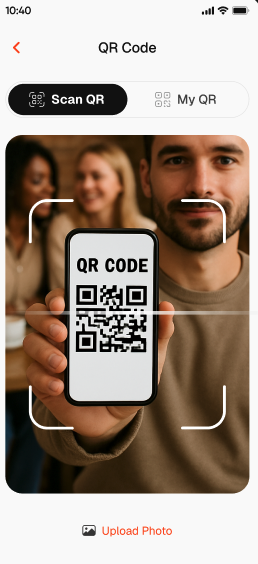
### Pay by QR code
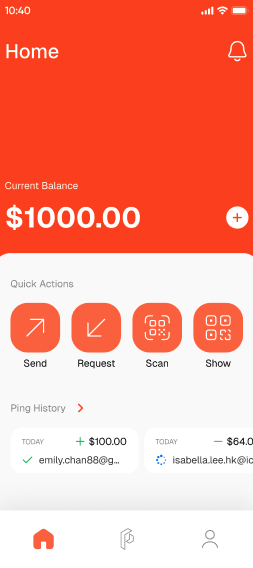
1. Tap "Scan" on Home page.
2. Allow camera access.
3. Scan the QR code directly or upload the photo of the recipient's QR code.
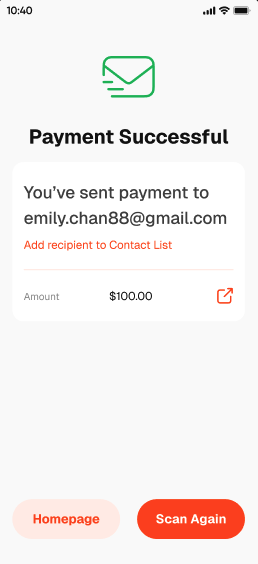
4. Enter the amount and pay.
5. An email notification will be sent to the recipient's email address.
{% hint style="info" %}
If the recipient does not claim the payments before the expiration date, unclaimed funds will be automatically returned to the sender's wallet.
{% endhint %}