> For the complete documentation index, see [llms.txt](https://pingmexyz.gitbook.io/docs/llms.txt). Markdown versions of documentation pages are available by appending `.md` to page URLs; this page is available as [Markdown](https://pingmexyz.gitbook.io/docs/features/account-management/password-management.md).
# Password Management
### Password Recovery
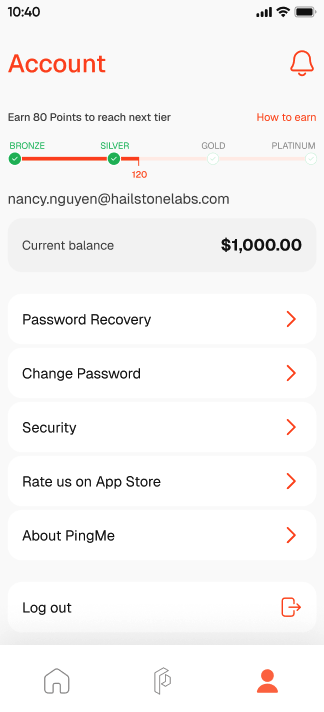
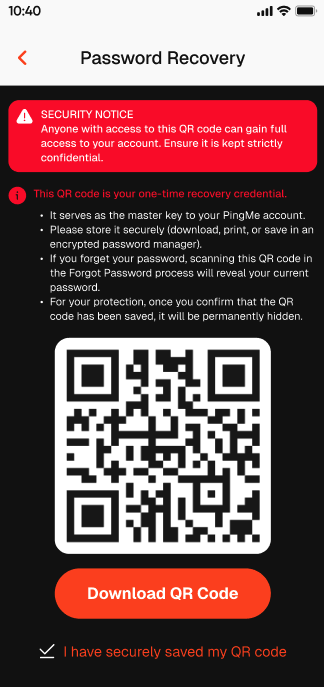
1. Your password recovery is reliant on the QR code which can be found in your Account page --> "Password Recovery." The QR code serves as the master key to you PingMe account. Anyone with access to the QR code can gain full access to your account. Make sure your have kept it strictly confidential.
2. After you enter the Password Recovery page, you will see your QR code. Please download, print, or save in an encrypted password manager to store it securely.
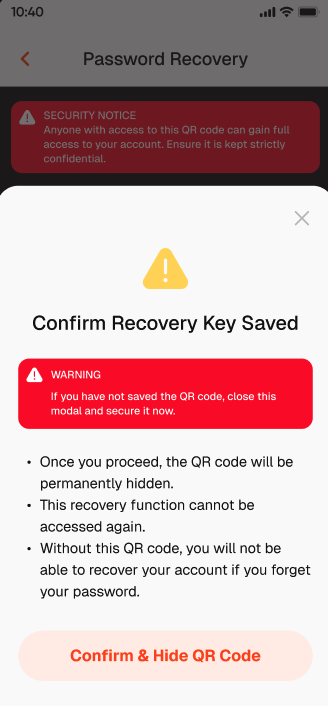
3. For your protection, once you have confirmed that the QR code has been saved, it will be permanently hidden and this recovery function cannot be accessed again.
{% hint style="danger" %}
**Without this QR code, you will not be able to recover your account if you forget your password! Please make sure to store your QR code safely for future password recovery action.**
{% endhint %}
### Forget Password
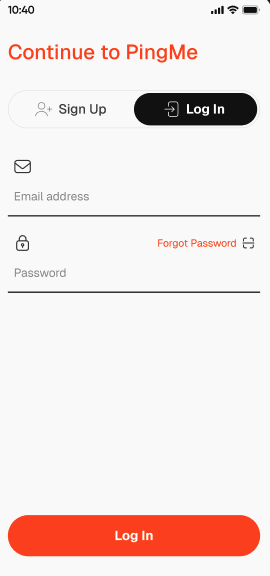
1. If you forget your password, tap "Forgot Password" in the log in page.
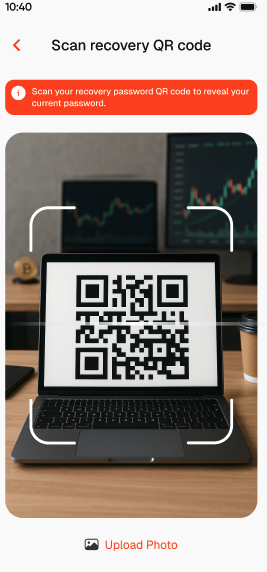
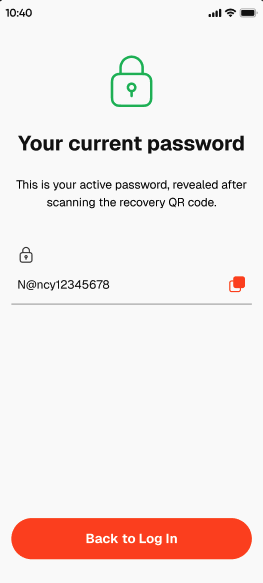
2. Scan the recovery password QR code to reveal your current password.
### Change Password
1. Go to Account page and select "Change Password."
2. Enter a new password twice to update the password. There is no need to the enter current password in order to change to the new one.